Evansville Day School Email Setup:
1). Using web browsers such as Google Chrome, Safari, and Edge.
Navigate to: https://www.outlook.office.com/
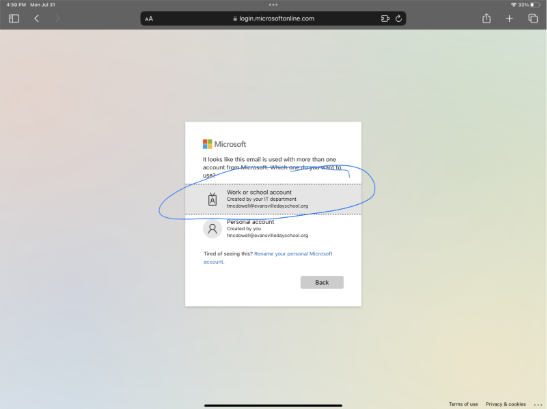
2). Select the first option “Work or School Account”
3).Once you select the above, please type the email address and password to sign in.
4).You will then be presented with a screen to setup multi-factored authentication.
The account will only ask for multi-factor authentication when adding to the device for the first time.
It’s highly recommended to use SMS/Text Message rather than the app from Microsoft.
**If setting up for a student and the parent prefers the Microsoft Authenticator app, they can download it from the App/Play Store
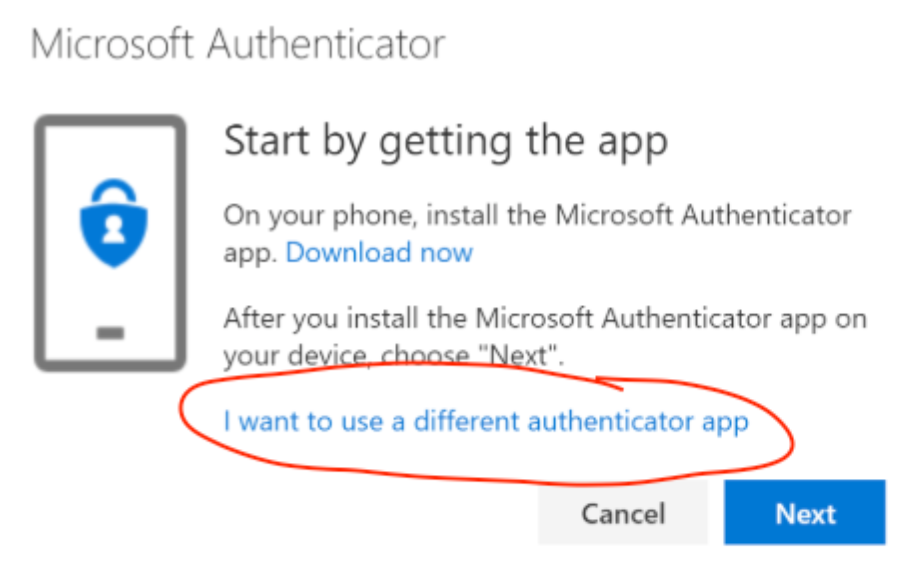
5).Type the phone number and wait for the text message. Input the 6-digit number and that’s it; the account has been setup!
Was this article helpful?
That’s Great!
Thank you for your feedback
Sorry! We couldn't be helpful
Thank you for your feedback
Feedback sent
We appreciate your effort and will try to fix the article